We do not
upload any files to server, hence your data is 100% secure.
Online nef to cr2 converter
Change nikon nef to canon raw format with adjustable options
Add files to convert
Added 0 files
Converting files... (0%)
Converted Files
Image
BMP
EPS
GIF
ICO
JPEG
JPG
JFIF
NEF
HEIC
ODD
PNG
PSD
SVG
TGA
TIFF
WebP
Document
DOC
DOCX
PDF
TXT
RTF
Report
CSV
XLS
XLSX
Advanced Options (Optional)
File name:
Image Options
Choose a method if you want to resize the output image.
We will replace the transparent areas of your image with this color. Choose a color using the color picker or enter a hex color value. (eg. #FFFFFF)
Choose a compression method if you want to reduce the output file size.
Add NEF Files One at a Time
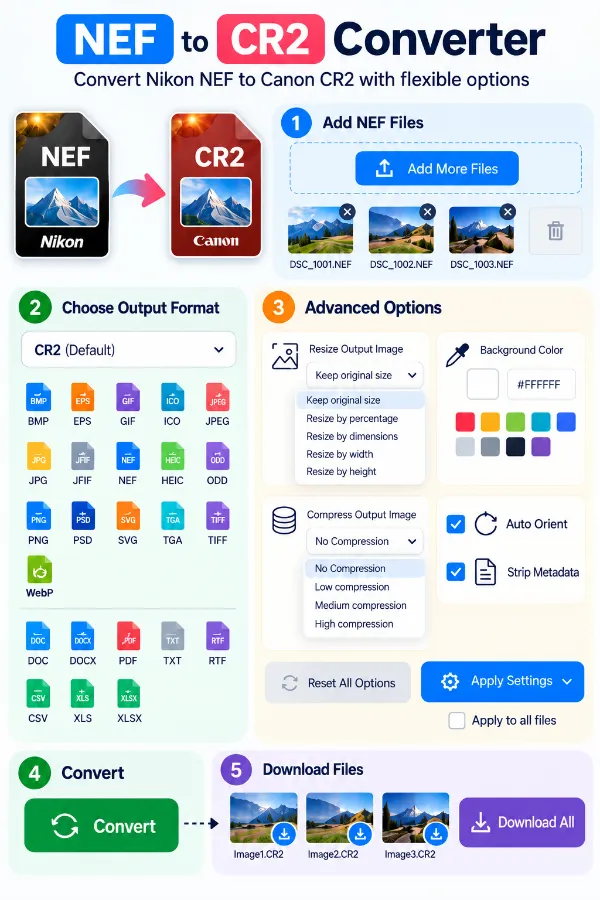
The converter lets you add NEF files individually to build your conversion list. This gives you control over which images are included before you start the NEF to CR2 conversion. You can also remove any file from the list if you decide not to convert it.
CR2 as the Selected Output Format
CR2 is selected as the default format after adding your NEF images. The output format can be selected independently from the files you add. The same converter also provides other output formats when a different destination is required.
Resize the Converted Output
Image settings provide several ways to control the dimensions of the resulting image. You can keep the original size or resize by percentage, dimensions, width, or height. This gives you more control when the converted files need to fit a particular image size.
Control Compression and File Size
The compression setting includes No Compression, Low Compression, Medium Compression, and High Compression. This can help when the converted files need to be smaller for storage or sharing. You can choose the level according to whether preserving more image information or reducing file size is more important for your task.
Correct Orientation and Manage Metadata
Auto Orient can use orientation information stored in EXIF data to correctly orient the image. The Strip Metadata option can remove profiles, EXIF information, and comments from the output. These settings are useful when image orientation or embedded metadata needs to be handled before downloading.
Download Files Individually or Together
After conversion, you can download individual CR2 files or obtain all converted files together. This works for both single-image tasks and larger batches. Files that are no longer required can also be removed before conversion.
Steps to convert NEF to CR2 format
1 . Click Add More Files and select your NEF images.
2 . Add additional files one by one if you want to convert more than one image.
3 . Open Image Options if you want to resize, compress, orient, or strip metadata.
4 . Click the Convert button.
5 . Download each CR2 file separately or download all files together.
Other useful information
Explore our visual guides and infographics
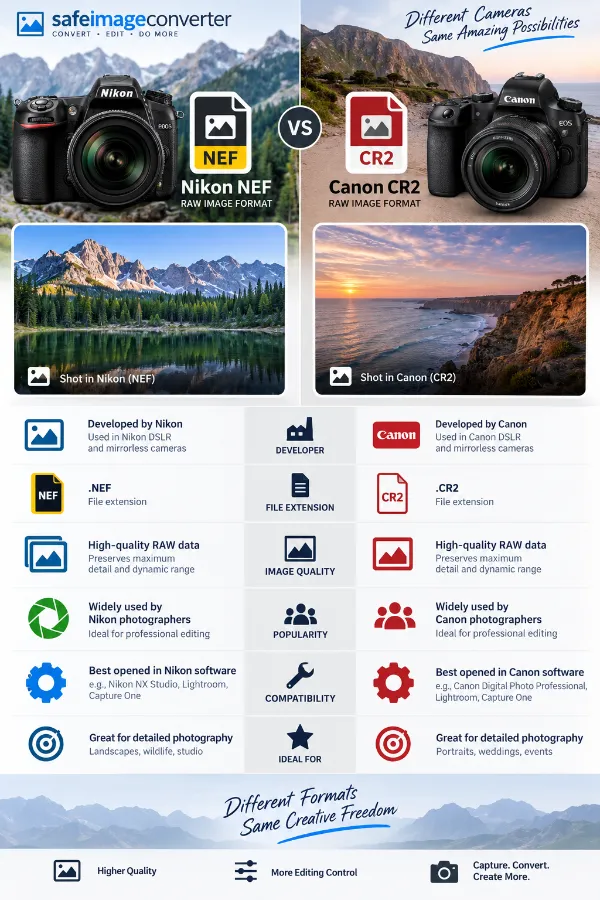
The infographic compares two camera raw formats and highlights their different camera-system origins.
The infographic highlights the features of nef to cr2 converter.
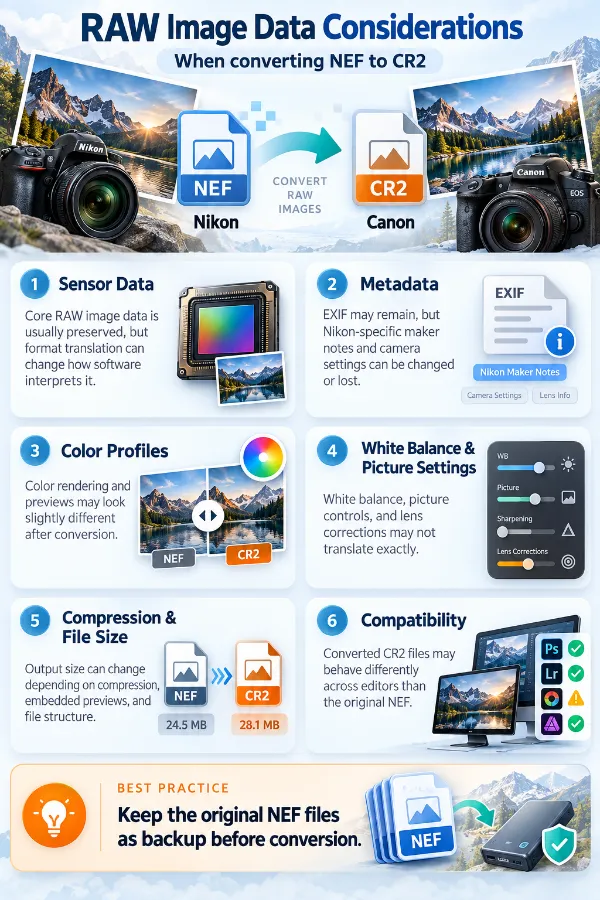
The infographic explains why changing one raw file format into another does not recreate a different camera's original raw capture.
×
Frequently Asked Questions
Why should I convert an NEF file to CR2?
NEF and CR2 are RAW image formats associated with different camera ecosystems. Someone may need CR2 output because a particular image workflow, application, archive, or file requirement expects that format.
Does converting NEF to CR2 make the file a genuine Canon RAW photograph?
No. A converted CR2 should not be confused with a CR2 file originally captured by a Canon camera. Conversion changes the file format, but it cannot recreate camera-specific RAW information that was never present in the NEF source.
What is the difference between NEF and CR2?
NEF is Nikon's RAW image format, while CR2 is an older Canon RAW format used by various Canon cameras. They can both contain RAW-oriented image information, but their internal structures and camera-specific data are different.
Will an NEF converted to CR2 retain all of the information from the original NEF?
The conversion cannot guarantee that every piece of camera-specific information from the original NEF will remain available in the same form. This is particularly important when the source contains proprietary RAW data or metadata.
Why might a converted CR2 fail to open in a particular photography application?
Some applications identify RAW files according to their internal structure, camera information, or supported models rather than relying only on the file extension. As a result, changing an image into CR2 format does not guarantee that every application will treat it like a native camera-generated CR2.
Why would I resize an NEF while converting it to CR2?
You may need the converted images at specific dimensions for another application, upload requirement, archive, or workflow. Resizing during conversion can eliminate the need to process the files separately afterward.
When is resizing better than keeping the original image size?
Resizing makes sense when the original NEF is much larger than the dimensions required for its next use. For example, a workflow that only needs smaller working copies may not require the full original dimensions.
Why would someone resize several RAW images to the same dimensions during conversion?
Photographs from different sources or shooting sessions may have different dimensions. Standardizing them during conversion can make a group easier to organize, compare, upload, or process together.
Does making the converted image smaller help when uploading CR2 files?
Reducing image dimensions can reduce the amount of image data that needs to be handled, although the final file size also depends on the conversion and compression settings. This can be useful when a workflow has limits on image dimensions or storage.
Why would I use compression when converting NEF to CR2?
Converted image files can be large, particularly when working with high-resolution photographs. Compression can be useful when the files need to take up less storage space or be easier to transfer.
Why can two converted images have different file sizes even when they have the same dimensions?
File size is affected by more than pixel dimensions. Image content, metadata, compression, and the characteristics of the source file can all contribute to differences in the resulting file size.
Does converting NEF to CR2 improve the quality of a photograph?
Changing the format does not automatically improve the photograph. The visual result is primarily dependent on the source image and the conversion process rather than the CR2 extension itself.
Can converting NEF to CR2 restore details that were missing from the original image?
No. A format conversion cannot recover photographic information that was not available in the source file.
Is converting NEF to CR2 useful if I want to perform extensive RAW editing later?
It depends on the software and workflow. A converted CR2 should not automatically be expected to provide the same camera-specific RAW editing capabilities as a native CR2 captured by a compatible Canon camera.
Why does a converted RAW file sometimes behave differently from a camera-created RAW file?
Camera RAW files can contain manufacturer-specific information used by photography software. A converted file may not contain the same camera metadata, profiles, or proprietary information as a file produced directly by the camera.
Why would I strip metadata when converting NEF to CR2?
A photograph can contain embedded information such as EXIF data, profiles, and comments. Removing that information can be useful when the converted file does not need those details or when you want a more minimal image file.
What kind of information can be contained in NEF metadata?
Depending on the camera and software, metadata can include information associated with the photograph and its capture. EXIF data may contain details such as camera settings, while other embedded information can relate to profiles or comments.
Why can an image appear rotated after conversion?
Some photographs rely on orientation information stored in EXIF metadata rather than physically rotating the image pixels. If that orientation information is interpreted differently by another application, the image can appear in an unexpected orientation.
When is Auto Orient particularly useful for RAW image conversion?
It can be helpful when photographs are taken in different camera orientations, such as portrait and landscape. Using the stored orientation information helps prepare the output so that it displays in the intended direction.
Why convert several NEF files in the same session instead of one at a time?
Processing a group together can save repetitive steps when many photographs require the same output format and settings. It is especially useful when preparing a collection for a common workflow.
Why should I remove some images from a conversion batch before starting?
A folder or selected group may contain photographs that do not belong in the current conversion task. Removing those files helps keep the output focused on the images actually needed.
What should I check before using a converted CR2 in another application?
Check that the application supports the resulting CR2 file and that the image displays as expected. For professional RAW workflows, it is also worth checking whether the software requires a native camera-generated CR2 rather than a converted file.
Can I convert CR2 back to NEF here?
This tool converts NEF files to CR2. If you need to convert a CR2 image into JPG instead, use the CR2 to NEF converter.
Our USPs
Security
100% (No files are sent to server for processing)
File size limits
None (No limit on size of files)
Usage limits
None (Process as many files as you want)
Price
Free
User Information Captured
None (We do not request for user information such as email / phone number)
Ads
None (We provide complete ad free experience)
Over 100k Users Rely on Our Imageconverter Converter Monthly
Join a growing community of creators who trust safeimageconverter.com for Convert your images to any format online.
We appreciate your feedback and will use it to improve our services.
About The Author
RK Shree - A science enthusiast with a poetic flair, and possesses an insatiable desire to explore diverse fields seeking new knowledge and experiences. My work ethic is highly disciplined and dedicated. I take pleasure in pursuing creative endeavors that captivate me.