Click Add More Files to upload as many JPG images as you need. You can remove any file whenever you want before starting the conversion. This makes it easy to convert a collection of JPG images into ICO files in one session.
ICO is selected as the default output format on this page, so you can upload your JPG images and start the conversion without first choosing a format. ICO is commonly used for icons, favicons, application icons, and shortcuts. If your requirement changes, you can select another supported output format from the available list.
Use the available settings when you need to make changes before conversion. You can resize the output by percentage, dimensions, width, or height; replace transparent areas with a background color; choose compression; correct image orientation using EXIF data; or strip profiles, EXIF, and comments. You can apply the settings to one file or use Apply to All Files, while Reset All Options returns the settings to their defaults.
Although ICO is the default for this converter, you are not restricted to ICO. You can change the output to supported image formats such as BMP, GIF, JPEG, PNG, PSD, SVG, TIFF, WebP, and others, as well as available document and report formats such as PDF, DOCX, TXT, CSV, XLS, and XLSX. This lets you use the same uploaded JPG files for different conversion requirements.
The converter keeps the process straightforward, upload your JPG files, adjust the available options if needed, and click the Convert button. You do not need a complicated editing process just to create the converted files. The simple interface makes it convenient for both occasional and regular conversions.
After conversion, you can download an individual ICO file when you only need a particular result. If you have converted several JPG images, Download All lets you save the complete collection together. This gives you flexibility in how you save and organize the converted files.

Other useful information
Explore our visual guides and infographics
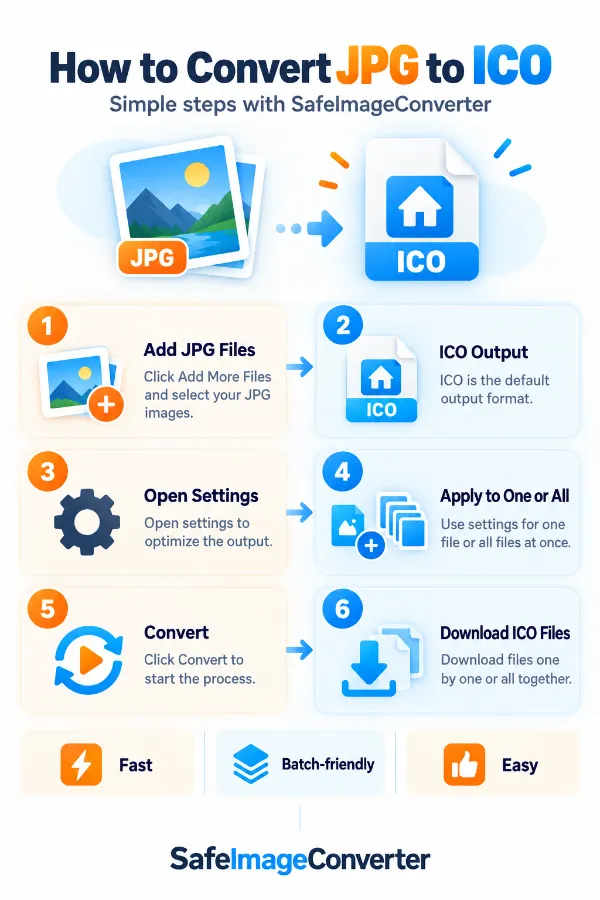
The infographic shows the steps of converting the jpg images to ico-format image.
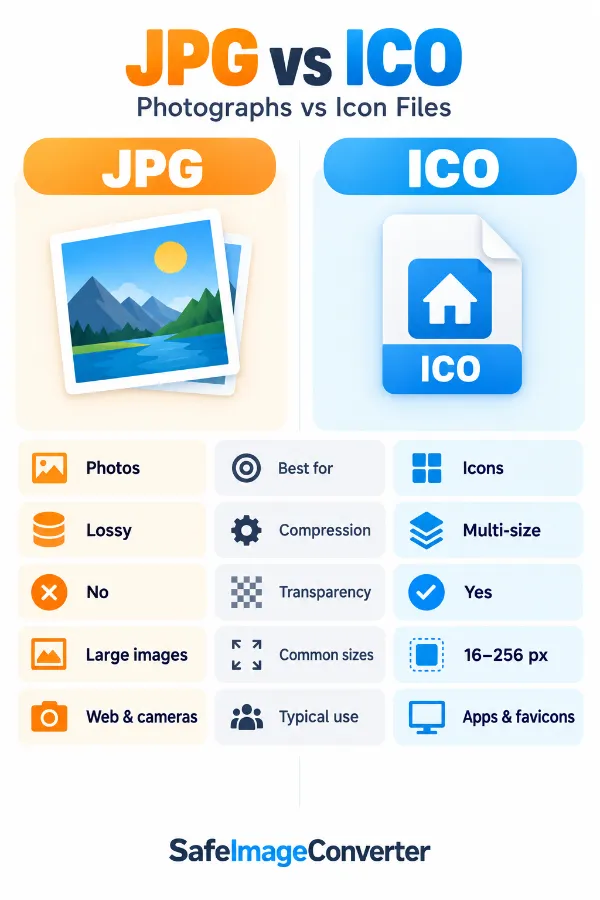
The infographic compares jpg and ico and explains why ico is designed for icon-related uses.
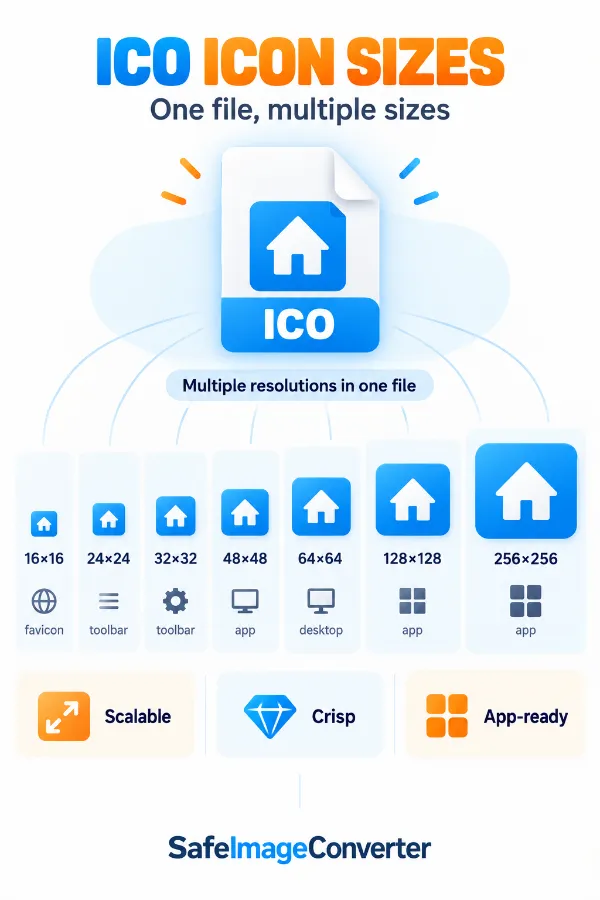
The infographic explains why multiple icon sizes can be useful for different display situations.
Frequently Asked Questions
| Security | 100% (No files are sent to server for processing) |
| File size limits | None (No limit on size of files) |
| Usage limits | None (Process as many files as you want) |
| Price | Free |
| User Information Captured | None (We do not request for user information such as email / phone number) |
| Ads | None (We provide complete ad free experience) |
Over 100k Users Rely on Our Imageconverter Converter Monthly
Join a growing community of creators who trust safeimageconverter.com for Convert your images to any format online.