close-button
  • Convert to Jpg
  • Convert to Png
  • Convert to Webp
  • Convert to Svg
  • Convert to Tiff
  • Convert To Psd
  • Convert to Nef
  • Convert to Cr2
  • Convert To Heic
  • Convert To Gif
  • Convert To Bmp
  • Convert To Jpeg
  • Convert To Pdf
  • Convert To Ico
  • Convert To Jfif
  • Online jpg to jpeg image converter

    Prepare jpg pictures as jpeg for uploading, sharing, and compatibility

    Add files to convert
    Added 0 files
    Converting files... (0%)
    Converted Files
    Image
    BMP
    EPS
    GIF
    ICO
    JPEG
    JPG
    JFIF
    NEF
    HEIC
    ODD
    PNG
    PSD
    SVG
    TGA
    TIFF
    WebP
    Document
    DOC
    DOCX
    PDF
    TXT
    RTF
    Report
    CSV
    XLS
    XLSX
    Advanced Options (Optional)
    File name:
    Image Options
    Choose a method if you want to resize the output image.
    We will replace the transparent areas of your image with this color. Choose a color using the color picker or enter a hex color value. (eg. #FFFFFF)
    Choose a compression method if you want to reduce the output file size.
    Conversion of JPG to JPEG
    Conversion of JPG to JPEG

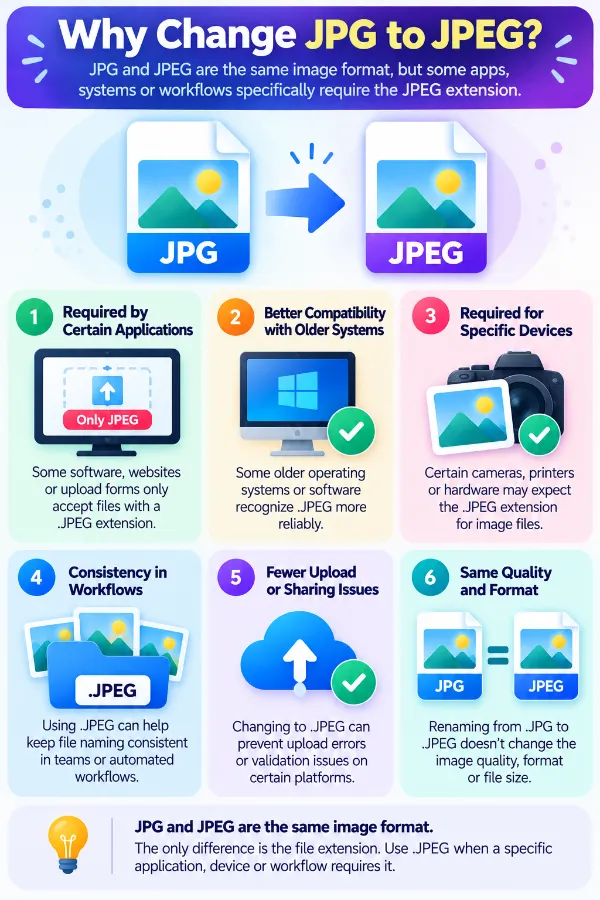
    Turn JPG files to JPEG when a particular application or workflow expects the `.jpeg` extension. JPG and JPEG are both commonly used extensions for JPEG image files, so this process mainly provides the image in the requested filename format. The conversion can be useful when a system specifically asks for JPEG files.

    Add JPG Images Easily
    Add JPG Images Easily

    Click Add More Files to upload as many JPG images as you need. You can remove any unwanted image from the list before starting the conversion. This makes it convenient to prepare a group of JPG files in one place.

    Optimize the JPEG Output
    Optimize the JPEG Output

    Use the advanced options to resize the image by original size, percentage, dimensions, width, or height. You can also choose a background color, select the compression level, use Auto Orient, and remove profiles, EXIF data, and comments with Strip Metadata. These controls let you prepare the image while converting it to JPEG.

    Choose a Different Output if Required
    Choose a Different Output if Required

    JPEG is the default output for this conversion, but the output format can be changed to another supported format from the available list. This includes other image formats as well as document and report formats. You can therefore use the same uploaded JPG files for a different conversion without uploading them again.

    Apply Settings File by File
    Apply Settings File by File

    Use Apply Settings when a particular JPG needs different treatment from the other images. Apply to All Files lets you use the same settings across the entire group, while Reset All Options restores the default settings. This gives you control over how individual images are prepared.

    Download JPEG Results
    Download JPEG Results

    Download a converted JPEG individually when you only need a particular result. If you have processed several JPG files, Download All lets you save the complete set together. This keeps the final step straightforward for both single and multiple conversions.
    idea

    Steps to use the JPG to JPEG converter

    1 . Click Add More Files and select the JPG images you want to convert.
    2 . Add as many JPG files as needed for the conversion.
    3 . JPEG is the default output format.
    4 . Adjust the output image settings as required.
    5 . Apply settings for one file or to all.
    6 . Click the Convert button to start the process.
    7 . Download the JPEG files individually or click download all.

    Other useful information

    Explore our visual guides and infographics
    ×
    Infographic Preview

    Frequently Asked Questions


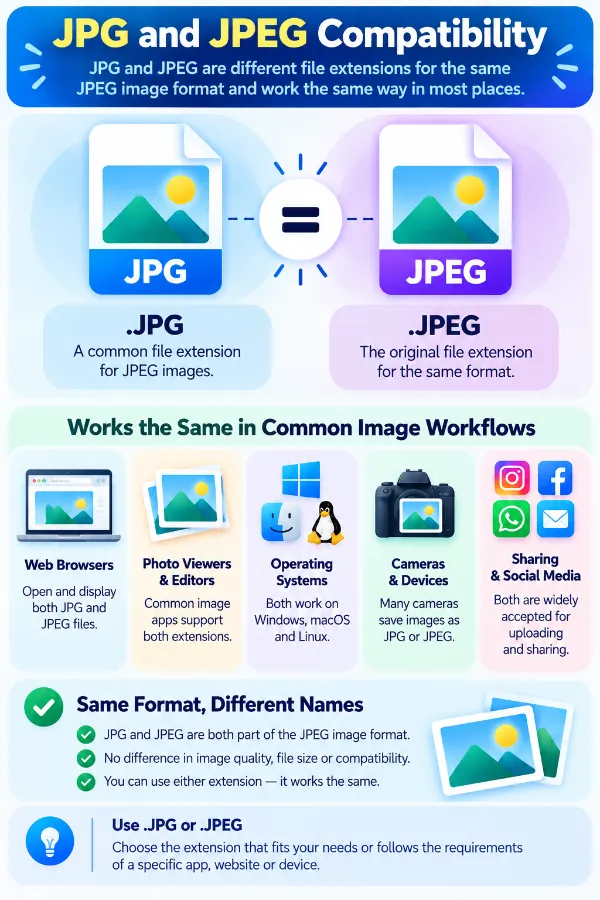
    Is JPG the same as JPEG?

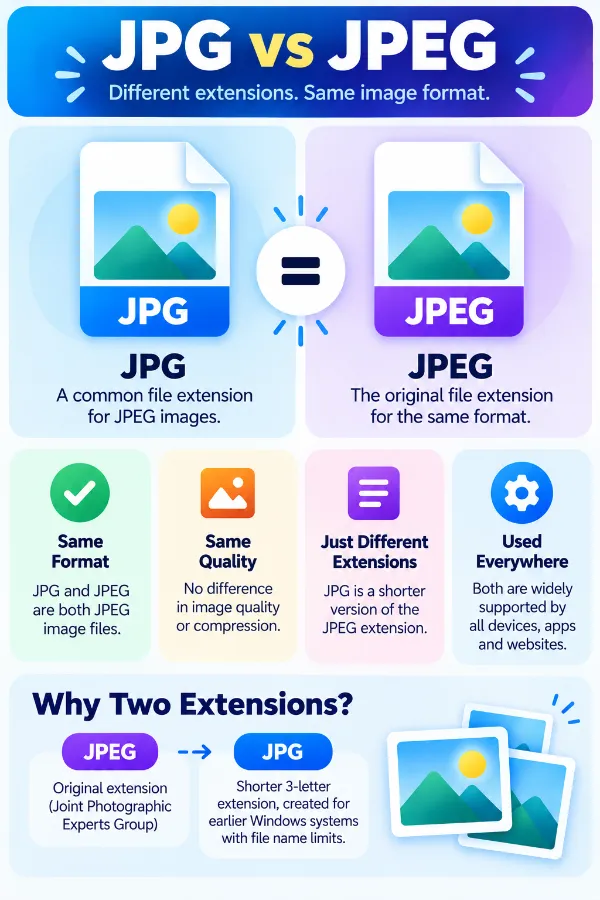
    JPG and JPEG are commonly used filename extensions for JPEG images. The shorter ``extension became widely used, while `.jpeg` is the longer form; the extension itself does not represent a separate photographic compression method.

    Why would I need a JPEG file instead of a JPG file?

    Some websites, applications, forms, or workflows may specifically list `.jpeg` among their accepted file extensions. In that situation, converting the file can provide an output with the requested extension without changing the underlying type of image being represented.

    Does JPG to JPEG conversion change the image format?

    The source and destination remain within the JPEG image family. The main distinction for an ordinary JPG-to-JPEG conversion is the output representation and filename extension rather than moving from one completely different image format to another.

    Is JPG to JPEG just renaming the file?

    Renaming `.jpg` to `.jpeg` changes the filename extension but does not rewrite the file. A converter, on the other hand, reads the source image and creates a new JPEG output, which can be useful when the file itself needs to be processed rather than simply renamed.

    Why might a website accept JPEG but not JPG?

    An upload form can be configured with specific filename extensions even when several extensions refer to JPEG images. A restriction to `.jpeg` can therefore come from the website's file-validation rules rather than from a fundamental difference between JPG and JPEG.

    Can I simply rename JPG to JPEG before uploading?

    You can rename the extension, but that only changes the filename. If the receiving system examines the actual file or expects a newly encoded output, renaming alone may not solve the compatibility problem.

    Does converting JPG to JPEG improve image quality?

    No. Conversion cannot recreate detail that has already been lost through earlier editing or JPEG compression. The resulting file still depends on the visual information available in the original image.

    Can converting JPG to JPEG compress the image again?

    Yes, if the converter re-encodes the image as JPEG. Because JPEG compression can be lossy, another encoding step may alter fine details or introduce additional compression artifacts.

    Why can a converted JPEG have a different file size?

    The new JPEG may be encoded using different compression settings or contain different supporting information from the source file. As a result, the output can be smaller, similar in size, or larger than the original JPG.

    Does a larger JPEG mean the image has better quality?

    File size alone does not establish image quality. JPEG encoding settings, image dimensions, metadata, and the actual visual content can all affect how large the resulting file becomes.

    What happens to JPEG metadata during JPG to JPEG conversion?

    Metadata can be handled differently depending on the conversion settings. In this converter, the available Strip Metadata option can remove profiles, EXIF data, and comments when you choose to use it.

    What is the difference between JPEG and JFIF?

    JPEG refers to the image encoding family, while JFIF is a file interchange format designed to carry JPEG-encoded image data between applications and platforms. This distinction explains why technical information about JPG, JPEG, and JFIF can sometimes use these terms differently.

    Can a JPG contain JFIF information?

    Yes. A JPEG-family file can use a JFIF structure to package the JPEG image data. JFIF defines additional information and markers that help applications exchange JPEG images consistently.

    Can a JPG contain EXIF data?

    Yes. JPEG files produced by cameras and other imaging devices can contain EXIF metadata such as photographic information. EXIF and JFIF are different ways of structuring information around JPEG image data, so two JPEG files can have different internal metadata even when both use a `.jpg` or `.jpeg` extension.

    Why can two JPG files with different extensions behave differently?

    The extension does not describe every detail of the file's internal structure. JPEG images may use different wrappers or metadata arrangements, such as JFIF or EXIF, so files with `.jpg` and `.jpeg` extensions can still contain different supporting information.

    Can a JPG photograph be converted to JPEG without changing its dimensions?

    Yes, the conversion does not inherently require a change in pixel dimensions. If you leave the resize options unchanged, the image can be converted without deliberately changing its width and height.

    What happens if the original JPG has already been compressed several times?

    The existing compression artifacts remain part of the source image. Converting that file to another JPEG output cannot restore the original detail, and another encoding step may make some artifacts more noticeable.

    Is JPEG suitable for photographs?

    JPEG is widely used for photographs and other continuous-tone images and is broadly supported by imaging software and devices. It is therefore a common choice when a photographic image needs a compact, widely recognized image format.

    Is JPEG a good choice for logos and text-heavy images?

    JPEG can store logos and text-containing images, but its lossy compression can be less suitable for very sharp edges, small lettering, or simple graphics than formats designed around lossless or other image representations. The result depends heavily on the source and compression settings.

    When does JPG to JPEG conversion actually make sense?

    It makes sense when a workflow specifically requires the `.jpeg` extension, when files need to be regenerated as JPEG outputs, or when the images need to pass through the converter's available image-processing settings. If an existing JPG already works correctly for the intended purpose, changing the extension may provide little practical benefit.

    Can I convert a JPEG file to JPG with this tool?

    No. This page is set up for JPG to JPEG conversion only and does not handle the reverse direction. If you need to convert JPEG to JPG, use a dedicated JPEG to JPG converter.

    Our USPs

    Security 100% (No files are sent to server for processing)
    File size limits None (No limit on size of files)
    Usage limits None (Process as many files as you want)
    Price Free
    User Information Captured None (We do not request for user information such as email / phone number)
    Ads None (We provide complete ad free experience)

    Over 100k Users Rely on Our Imageconverter Converter Monthly

    Join a growing community of creators who trust safeimageconverter.com for Convert your images to any format online.


    Review us on

    rating-img

    Rate this tool

    Your feedback helps us improve our services

    /5   votes

    About The Author

    Rk Shree

    RK Shree - A science enthusiast with a poetic flair, and possesses an insatiable desire to explore diverse fields seeking new knowledge and experiences. My work ethic is highly disciplined and dedicated. I take pleasure in pursuing creative endeavors that captivate me.