Convert JPEG images into PSD files when you need the output in Photoshop's file format. The conversion provides a PSD version of the available JPEG image without claiming to recreate the original layered project. This is useful when a PSD-format file is required for the next stage of your workflow.
Click Add More Files to upload as many JPEG images as you need for the conversion. You can remove individual files whenever you want before starting the process. This lets you keep only the images you actually want to convert.
Use the advanced options to resize the output by percentage, dimensions, width, or height. You can also choose a background color and select the compression level for the resulting image. These controls let you prepare the JPEG content before creating the PSD.
Auto Orient can correct the image direction using orientation information stored in EXIF data. Strip Metadata can remove profiles, EXIF information, and comments from the image. Together, these options let you manage embedded image information as part of the conversion process.
Apply settings to an individual JPEG or use Apply to All Files when the same setup works for the entire group. Reset All Options lets you return the controls to their default values. This is useful when your uploaded images need different preparation.
PSD is the default output, but you can switch to another supported format when a different result is needed. After conversion, download individual files or use Download All to save the complete set together. This gives you flexibility from format selection through to the final download.
Other useful information
Explore our visual guides and infographics
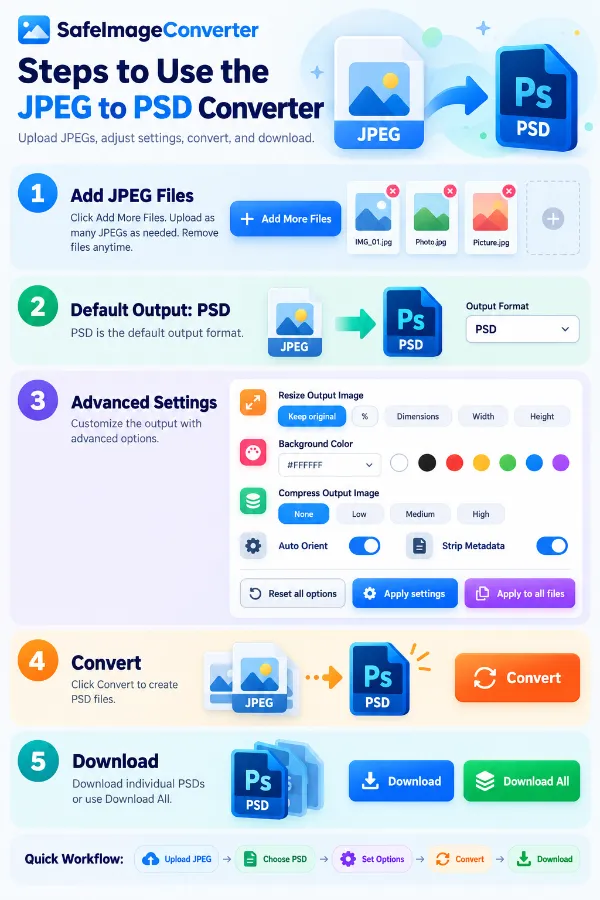
The infographic shows the following steps to use the jpeg to psd converter
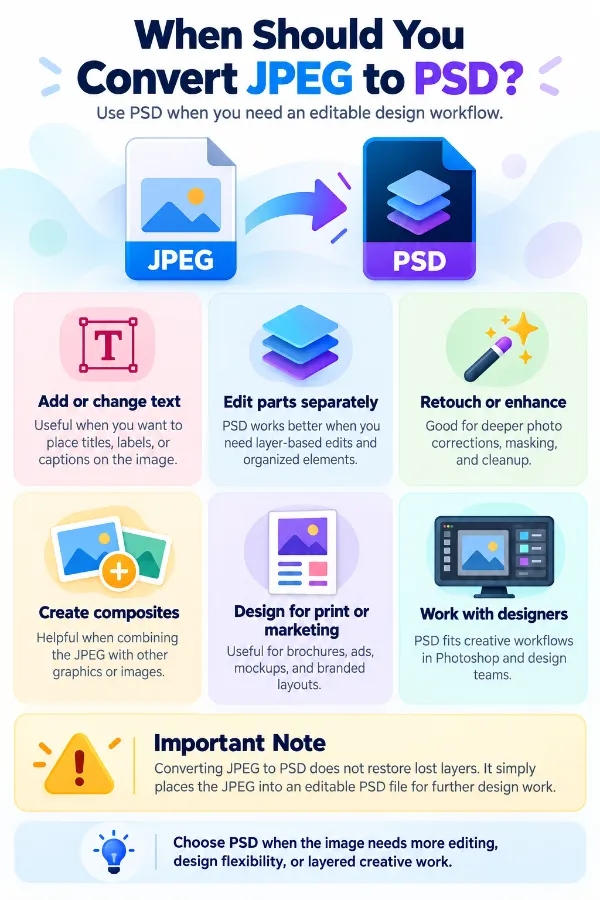
The infographic show situations where psd format is useful.
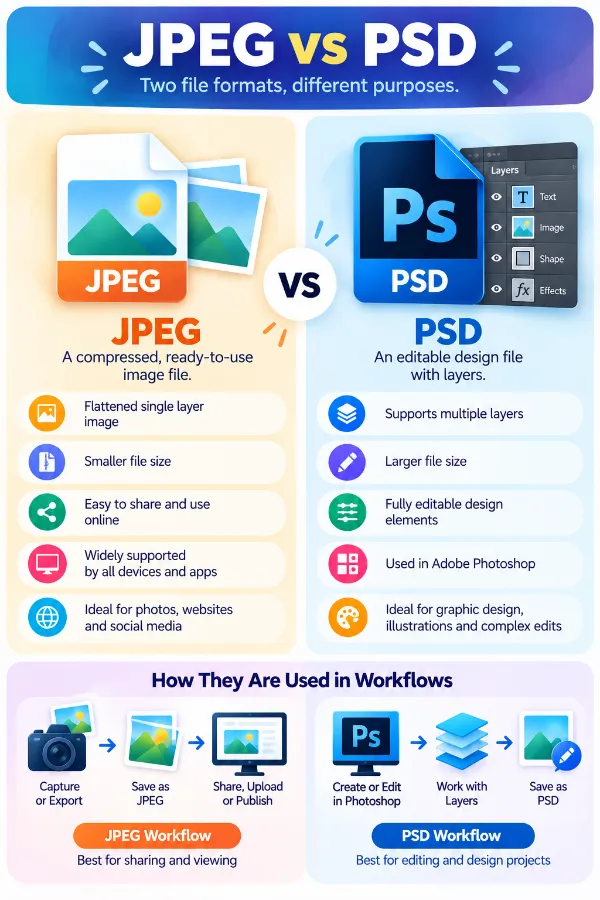
The infographic compares jpeg and psd and shows how they are used differently in image and design workflows.
Frequently Asked Questions
| Security | 100% (No files are sent to server for processing) |
| File size limits | None (No limit on size of files) |
| Usage limits | None (Process as many files as you want) |
| Price | Free |
| User Information Captured | None (We do not request for user information such as email / phone number) |
| Ads | None (We provide complete ad free experience) |
Over 100k Users Rely on Our Imageconverter Converter Monthly
Join a growing community of creators who trust safeimageconverter.com for Convert your images to any format online.